 Bee203
A CRM that sets itself up for your industry
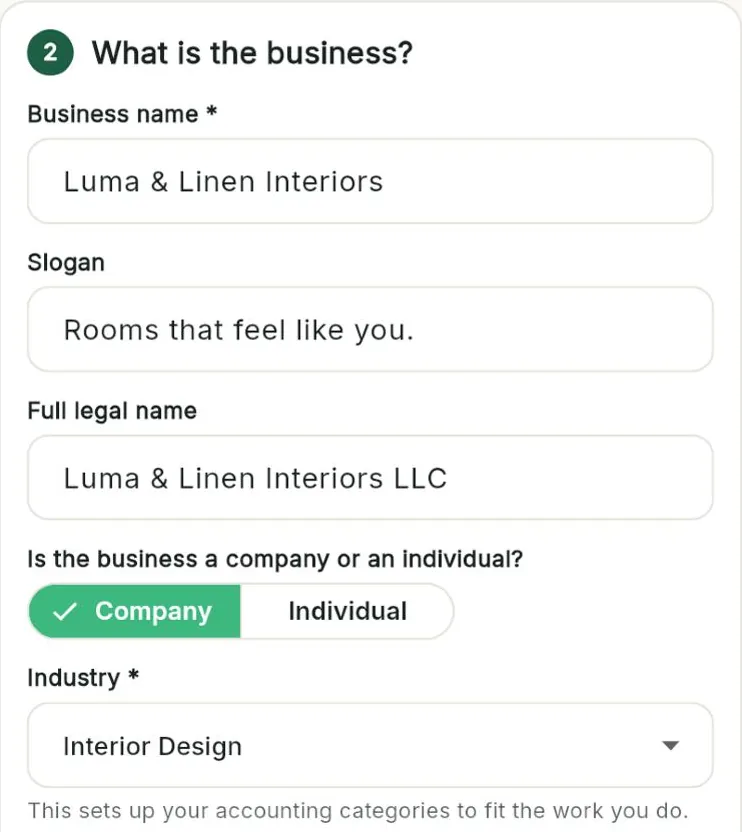
Tell us what you do. Bee203 sets itself up for you.
Every business is different. A designer buys furniture for clients, a hauler pays by the ton, a contractor buys materials and subcontracts. Answer a few plain questions in the setup wizard and Bee203 fits itself to your line of business, so you start working instead of configuring.
What it does for you
Included in
| Free | Starter | Books | Pro | Business | |
|---|---|---|---|---|---|
| Setup wizard by industry (17 industries) | ✓ | ✓ | ✓ | ✓ | ✓ |
| English and Spanish | ✓ | ✓ | ✓ | ✓ | ✓ |
See every plan side by side on the Features page.
Watch this part
Setup by industry · Watch this video on its own page →
Questions
Which industries are there?
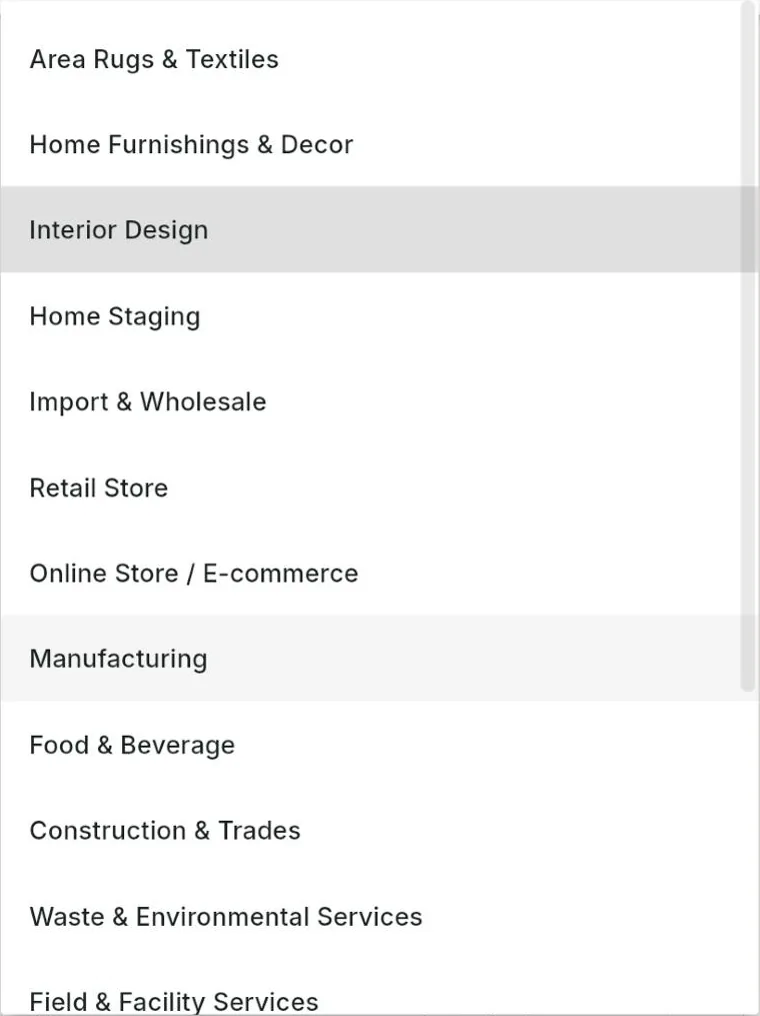
Area rugs and textiles, home furnishings and decor, interior design, home staging, import and wholesale, retail store, online store, manufacturing, food and beverage, construction and trades, waste and environmental services, field and facility services, real estate, IT services, professional services, health and wellness, and other.
Can I change my industry later?
Yes. Open Settings, then Setup Wizard, change it and save.
Related features
Try it with your own clients
Start free. No card needed.