 Bee203
Features
Branded templates for estimates and invoices
Start from a template. Finish with your brand.
You don't have to start from a blank page. Pick a ready-made template for your projects, documents and imports, then give your invoices and your store your own colors and style, so every client sees your business, not ours.
What it does for you
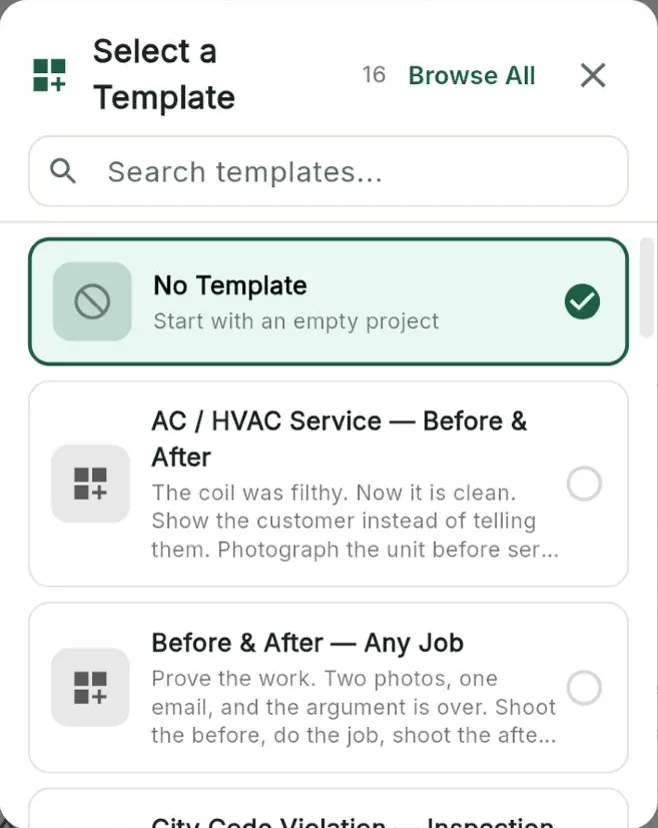
16 ready-made templatesPick a template when you create a project, from AC service to before-and-after jobs, or start empty. Search them or browse them all.
Project templatesSave how you run a job once and reuse it for the next one.
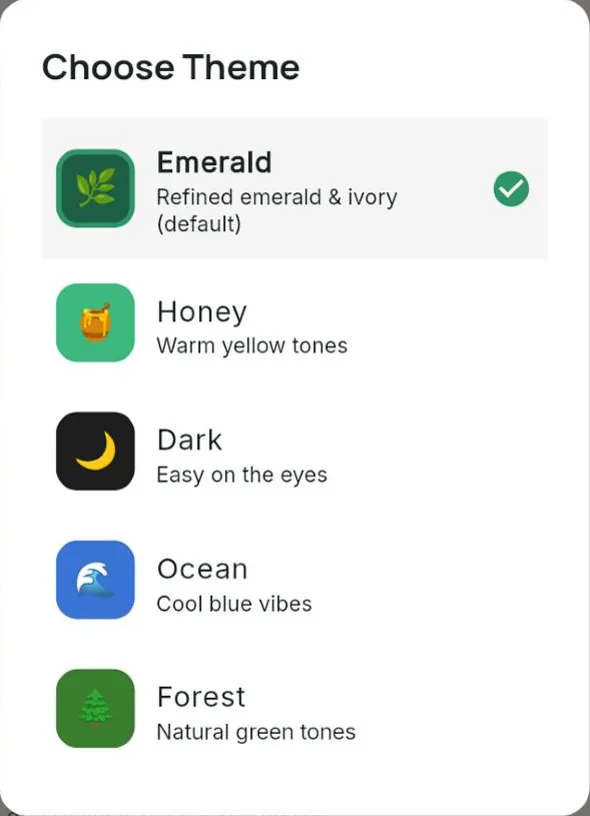
Your app, your colorsChoose a theme for the whole app: Graphite, Emerald, Honey, Dark, Ocean or Forest.
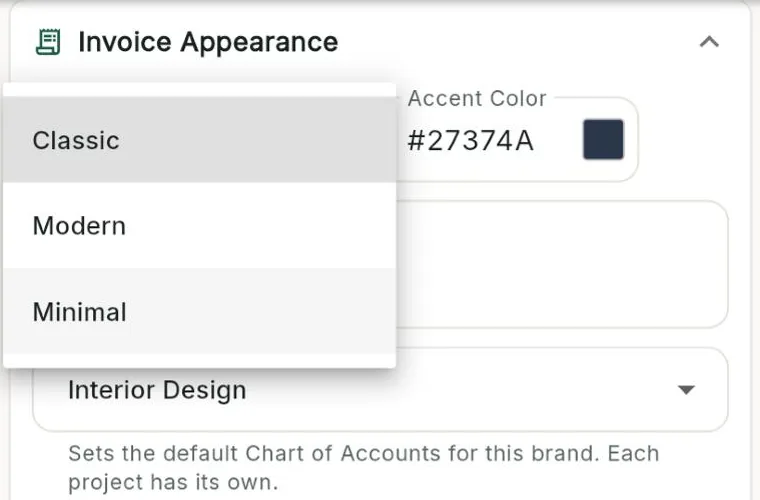
Invoices in your styleChoose Classic, Modern or Minimal, set your accent color and write your own footer. Bee203 can pick up your brand colors for you.
A store layout that fitsNine layouts for your online store: Marketplace, Editorial, Listings, Gallery, Immersive and four Boutique styles.
Import templatesDownload an Excel or CSV template to bring in clients and products the right way.
Included in
Tap a plan to see what it includes:
| Free | Starter | Books | Pro | Business | |
|---|---|---|---|---|---|
| Ready-made templates | ✓ | ✓ | ✓ | ✓ | ✓ |
| App themes, invoice style and store layouts | ✓ | ✓ | ✓ | ✓ | ✓ |
| Your online store and product catalog | ✓ | ✓ | ✓ | ✓ | ✓ |
| Store lookbooks and price lists | ✓ | ✓ | ✓ | ✓ | ✓ |
See every plan side by side on the Features page.
Watch this part
Templates and your brand · Watch this video on its own page →
Questions
Do templates cost extra?
No. Ready-made templates are on every plan.
Where do I change my invoice look?
In Store Settings: pick the template, the accent color and the footer.
Related features
Try it with your own clients
Start free. No card needed.