 Bee203
Website live chat that calls you when a visitor wants a person
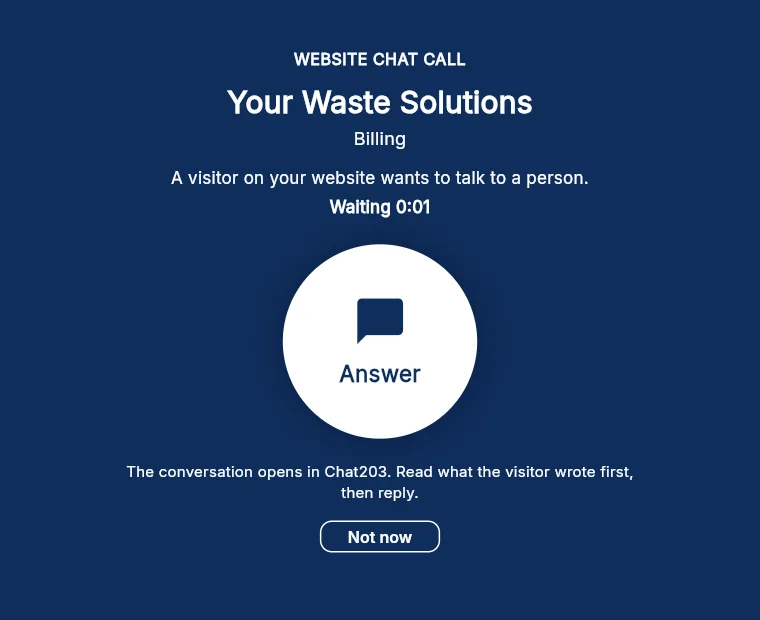
A website visitor wants a person. Your screen rings.
Website AI Chat answers your visitors around the clock. When one of them asks for a real person, Bee203 rings your team like a phone call, so somebody answers while the visitor is still there.
What it does for you
Questions
How do I get the calls on my computer?
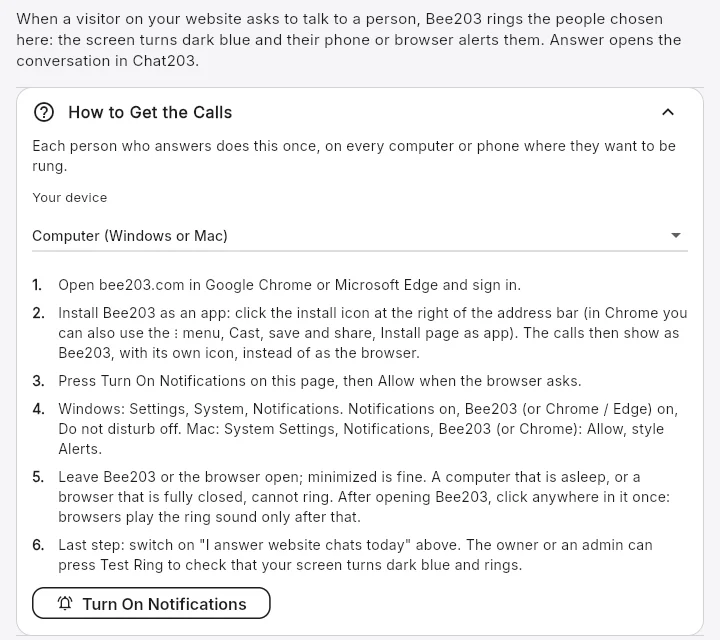
Open bee203.com in Google Chrome or Microsoft Edge and sign in. Install Bee203 as an app with the install icon at the right of the address bar, so the calls show as Bee203 and not as the browser. In Bee203 open Settings, Website Chat Calls, press Turn On Notifications and click Allow. In Windows Settings, System, Notifications, keep notifications on for Bee203 (or your browser) and Do not disturb off; on a Mac, System Settings, Notifications, Bee203: Allow, style Alerts. Leave Bee203 open; minimized is fine. After opening it, click anywhere in Bee203 once, because browsers play the ring sound only after that.
How do I get the calls on an Android phone?
Open bee203.com in Chrome, sign in, then menu, Add to Home screen, Install. In Bee203 open Settings, Website Chat Calls and press Turn On Notifications. In Android Settings, Apps, Bee203 (or Chrome), allow notifications and set Battery to Unrestricted so calls arrive with the phone locked.
Does it ring an iPhone?
Not yet. Answer website chats from a computer or an Android phone for now.
Does switching myself off cover every business I answer for?
Yes. Available and Away belong to the person, not to one business: switching yourself off here in Bee203, or to Away in Chat203, switches you off for every business you answer website chats for. Being set to Away after 2 missed visitors applies only to the business where they were missed.
How do I check that it works?
Switch on I answer website chats today on the Website Chat Calls page. The owner or an admin can press Test Ring: your screen should turn dark blue and ring.
Who puts the chat on our website?
The owner, or whoever looks after your website. Chat203 gives you a short piece of code to paste into the site, and you can invite your web person from Team in Chat203.
Where is Chat203's own guide to the alerts?
Chat203 explains its Available / Away switch, the Answer window and ring hours here: chat203.com/help/alerts.
What does it cost?
The calls come with the Website AI Chat add-on. Its price is on the Pricing page, next to the plans.
Related features
Try it with your own clients
Start free. No card needed.