 Bee203
Features
Estimate and invoice app: quote it, bill it, get paid
Quote it, bill it, get paid
Create an estimate from the client's page with their details already filled in. Turn it into an invoice and let the client pay by card. The money goes to your bank.
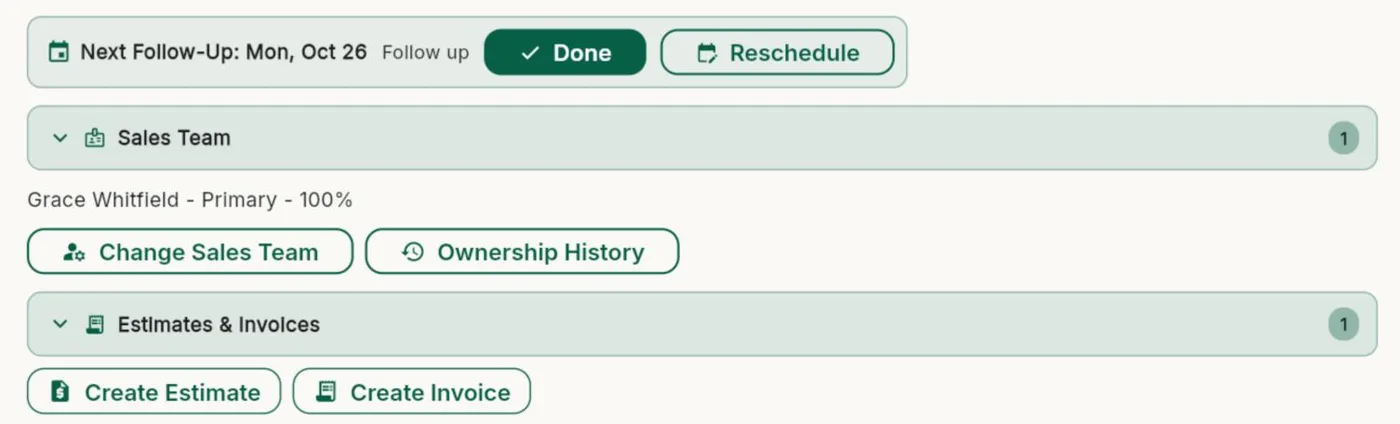
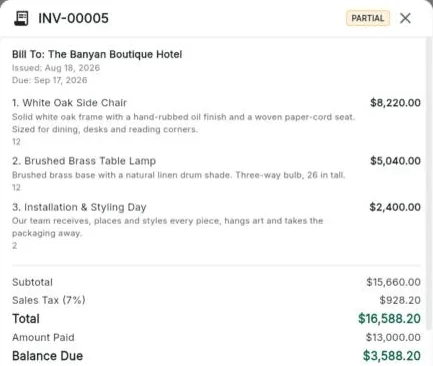
What it does for you
Unlimited estimates and invoicesOn every plan, sent as PDF, link or text.
Paid by cardConnect Square or Stripe. Bee203 adds 1.25% per card payment, at most US$25; the processor charges its usual fee. No fee on cash or check.
Deposits and payment plansPayment terms, deposits, partial payments and late fees, set once per client.
In each client's languageDocuments go out in English or Spanish, with descriptions you can translate.
Included in
Tap a plan to see what it includes:
| Free | Starter | Books | Pro | Business | |
|---|---|---|---|---|---|
| Estimates and invoices | Unlimited | Unlimited | Unlimited | Unlimited | Unlimited |
| PDF and Excel export | ✓ | ✓ | ✓ | ✓ | ✓ |
| Email documents from Bee203 | 3 sends | 3 sends | Unlimited | Unlimited | Unlimited |
| Card payments with Square or Stripe | ✓ | ✓ | ✓ | ✓ | ✓ |
| Recurring invoices | – | – | ✓ | ✓ | ✓ |
| Customer statements | – | – | ✓ | ✓ | ✓ |
See every plan side by side on the Features page.
Watch this part
Estimates, invoices and card payments · Watch this video on its own page →
Questions
Is there a fee on card payments?
Square or Stripe charge their usual fee. Bee203 adds 1.25% per card payment, at most US$25. No fee on cash or check.
Related features
Client Project Portal: budgets, approvals and client reportsA private portal per client job: room budgets, approvals, client-safe PDF and Excel reports, deposit invoices and job profit.See how it works →
Pricing calculator for small businessesMost small businesses price by gut feeling, and many find out too late that a "good sale" barely paid the bills.See how it works →
Sales commission tracking, without a spreadsheetReps earn when the client pays, not before.See how it works →
Try it with your own clients
Start free. No card needed.