 Bee203
Pricing calculator for small businesses
Stop guessing your prices.
Most small businesses price by gut feeling, and many find out too late that a "good sale" barely paid the bills. Bee203 asks one question, "What should I charge?", and shows the answer: what the item really costs you, what it costs you to keep the doors open, your break-even price and the profit you actually keep.
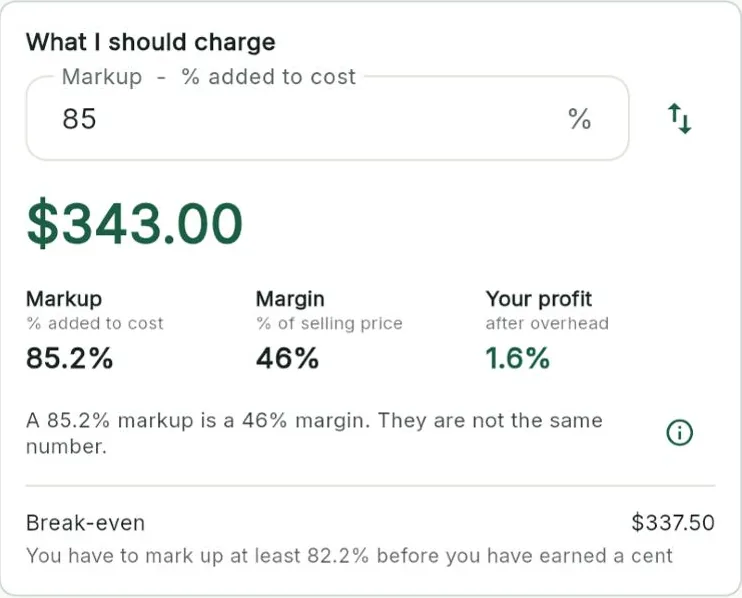
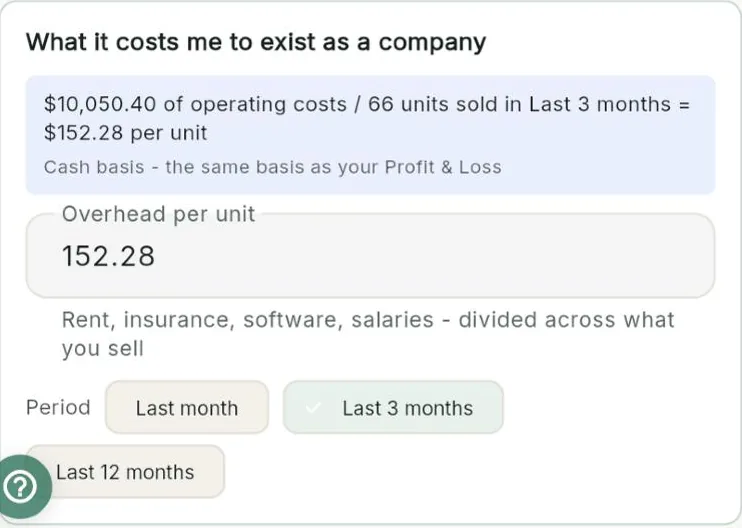
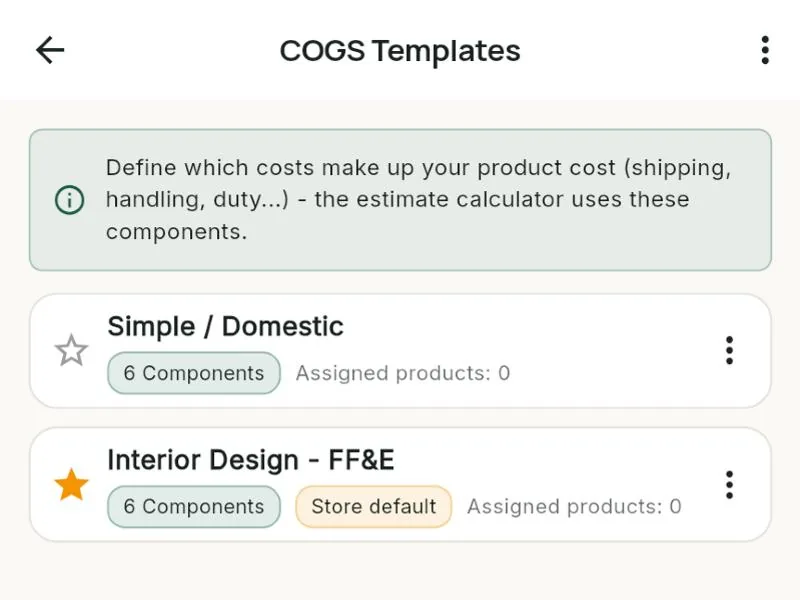
What it does for you
Included in
| Free | Starter | Books | Pro | Business | |
|---|---|---|---|---|---|
| "What should I charge?" price and cost (COGS) calculator | ✓ | ✓ | ✓ | ✓ | ✓ |
| Industry cost templates (COGS) | – | – | – | – | ✓ |
| Estimates and invoices | Unlimited | Unlimited | Unlimited | Unlimited | Unlimited |
| Your online store and product catalog | ✓ | ✓ | ✓ | ✓ | ✓ |
See every plan side by side on the Features page.
Watch this part
What should I charge? · Watch this video on its own page →
Questions
Do my clients see these numbers?
No. The calculator is marked internal use only. It is for you.
Can I turn the result into a product?
Yes. Tap "Create a product with these numbers", or print a PDF for your records.
What is COGS?
Cost of goods sold: what an item really cost you to buy, bring in and sell. Bee203 uses it on estimates, invoices and your Profit and Loss.
Related features
Try it with your own clients
Start free. No card needed.